
Features · SAM PRO
Gold signals, made simple to follow
SAM Pro tells you what to trade on XAUUSD, where to get in, where to take profit and where to stop. You place every trade yourself on your own broker account. Here is what you get, with examples.
SAM Alert
A clear call, every 30 minutes or every 4 hours
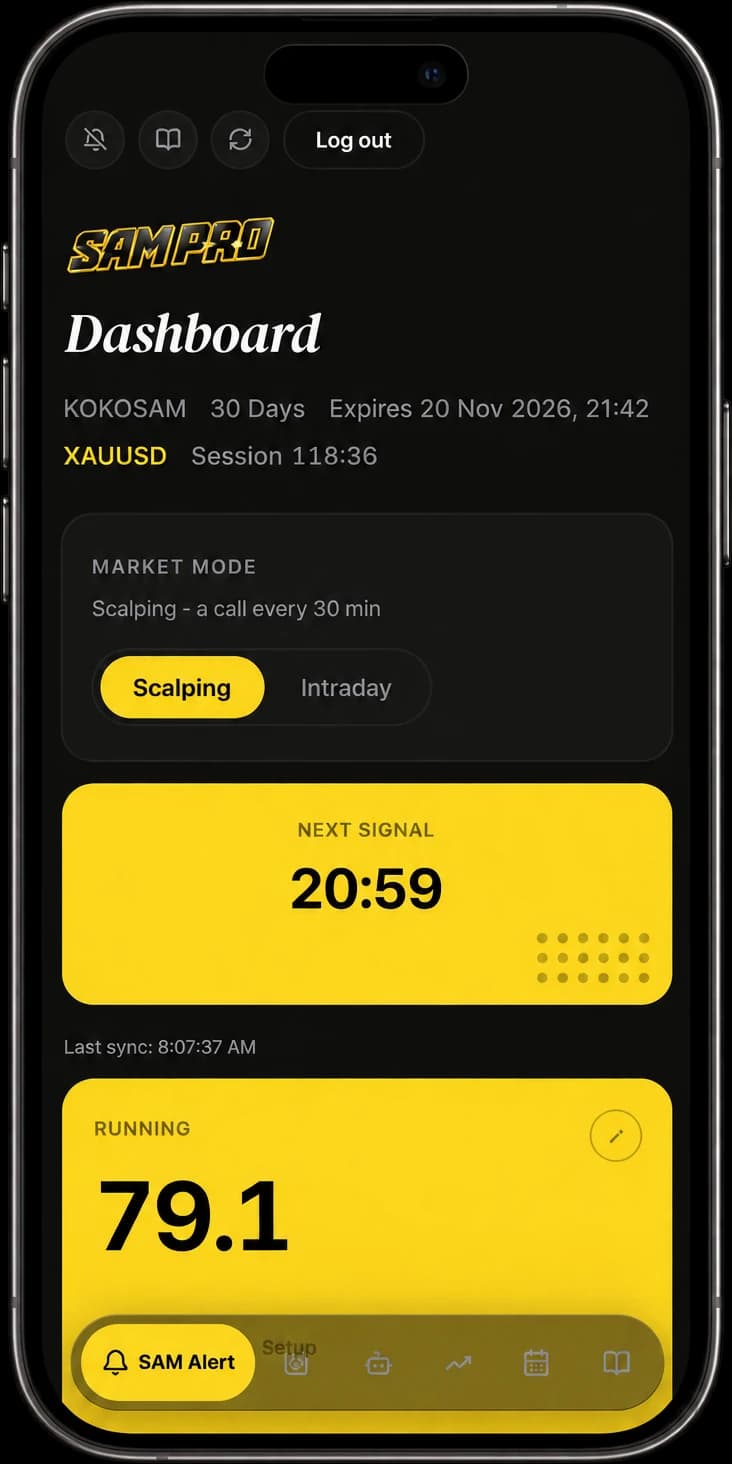
No chart-staring and no guessing. You pick your pace, and SAM Alert hands you a complete setup: direction, entry, three targets and the stop.
- Scalping gives a fresh signal every 30 minutes. Intraday gives one every 4 hours.
- A countdown shows when the next signal is due.
- Live pips on the open setup, so you always know where the trade stands.
- Tap any price to copy it straight into your broker.
Example of a call (illustration, not a real signal)
XAUUSD · BUY setup
SAM Zone
See where price reacted before
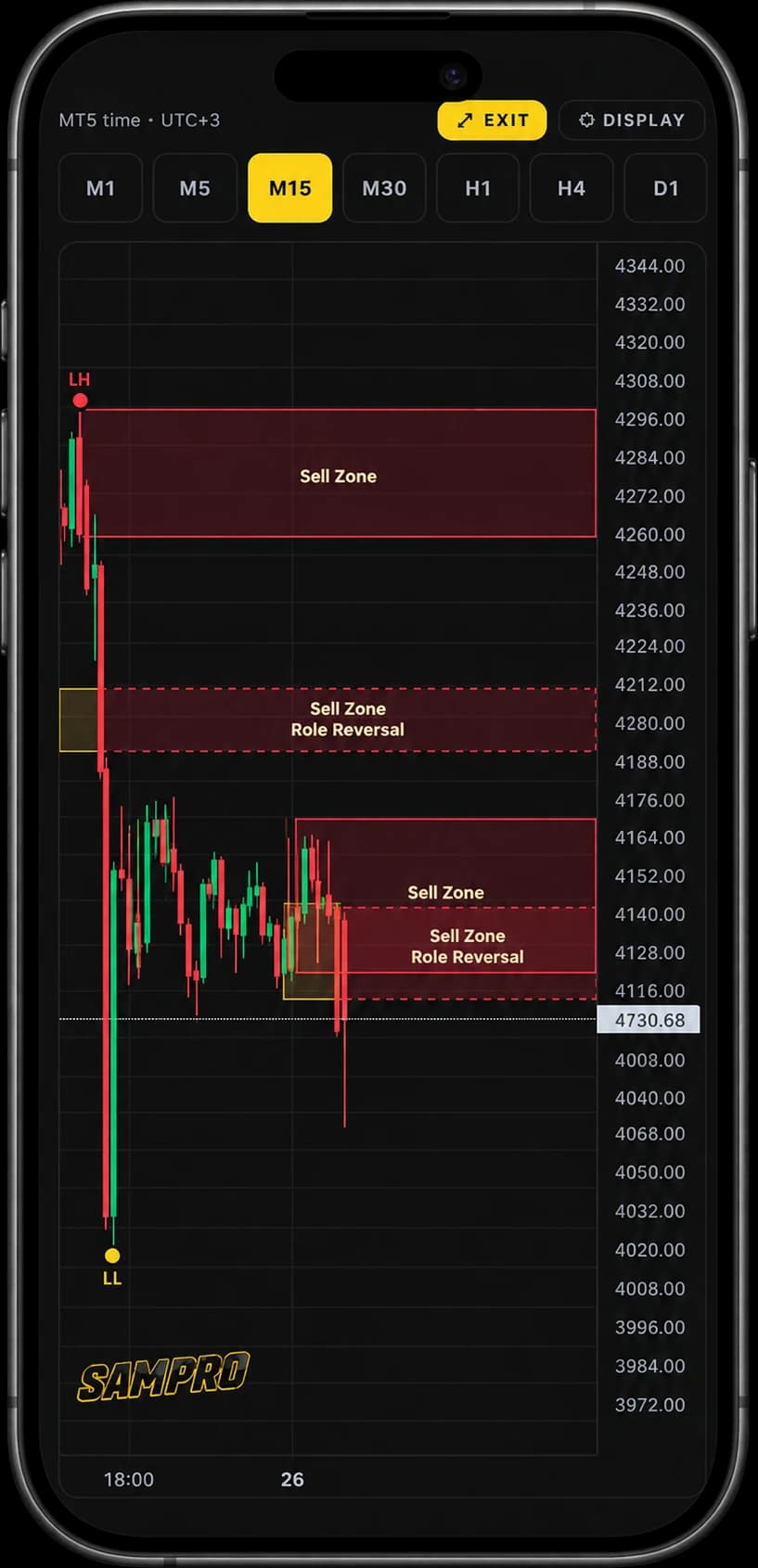
A live XAUUSD chart straight from the MT5 feed, with Buy and Sell zones drawn for you. It helps you judge whether a call sits in a good place.
- Gold boxes are Buy Zones, red boxes are Sell Zones. A dashed box has flipped role.
- Swing structure (HH, HL, LH, LL) can be switched on or off.
- Timeframes from M1 to D1, on a phone too, with up to 500 candles to scroll back.
Example of how to use it
A SELL call arrives while price sits just under a Sell Zone: the call and the chart agree, so you act with more confidence. If the call is BUY but price is pressed into a Sell Zone, you can pass on this one. SAM Zone never gives entries, the call always comes from SAM Alert.
Lot planner
Know your lot size before you click Buy
Type how much you are happy to lose. The planner works out the lot from the stop-loss distance of the open call, so every trade carries the same risk.
- Enter your risk in USD.
- The lot size is calculated from the stop-loss distance.
- Copy it and paste it into your broker.
Example, using the SAM Alert call above
If the stop is hit you lose about USD 50, not a surprise amount.
Performance
The record is open, not hidden
Every past signal is listed with its result, so you can judge the service on its numbers before you commit.
- Filter by Day, Week, Month or your own dates, for the Market mode you use.
- Win rate, total pips, signal count, and the spread across TP1, TP2, TP3, break-even and stop-loss.
- Tap any row to see its levels, exit, peak and how long it ran.
What you will see
Alerts
It finds you, you do not have to find it
Add SAM Pro to your home screen and allow notifications. Your phone buzzes the moment something happens, even when the app is closed.
- A push for every new signal as soon as it is posted.
- A push when a take-profit or the stop-loss is hit.
- On iPhone, adding it to the home screen is what enables alerts.
A typical day (illustration)
Trade management
What to do after you are in
The call is only half of a trade. SAM Pro also shows when to protect it.
- Lock BE: once a setup is +30 pips or TP1 is hit, move the stop to your entry so the trade can no longer lose.
- Partial close: at TP1, close about half and let the rest run to TP2 and TP3.
- Trailing stop: after TP2, move the stop up to TP1 to lock in profit.
Example on the same call
Calendar
Do not get caught by the news
Gold reacts hard to US data. The calendar shows only the USD events that matter, in Malaysia time.
- High impact in red, medium impact in gold.
- Times are GMT+8.
- Events that already happened are dimmed.
How to use it
Glance at the week on Monday. If a High event lands at 20:30, you know to be careful with a trade that is still open, or to wait until the spike settles.
SAM Bot
Your day in Telegram, without opening the app
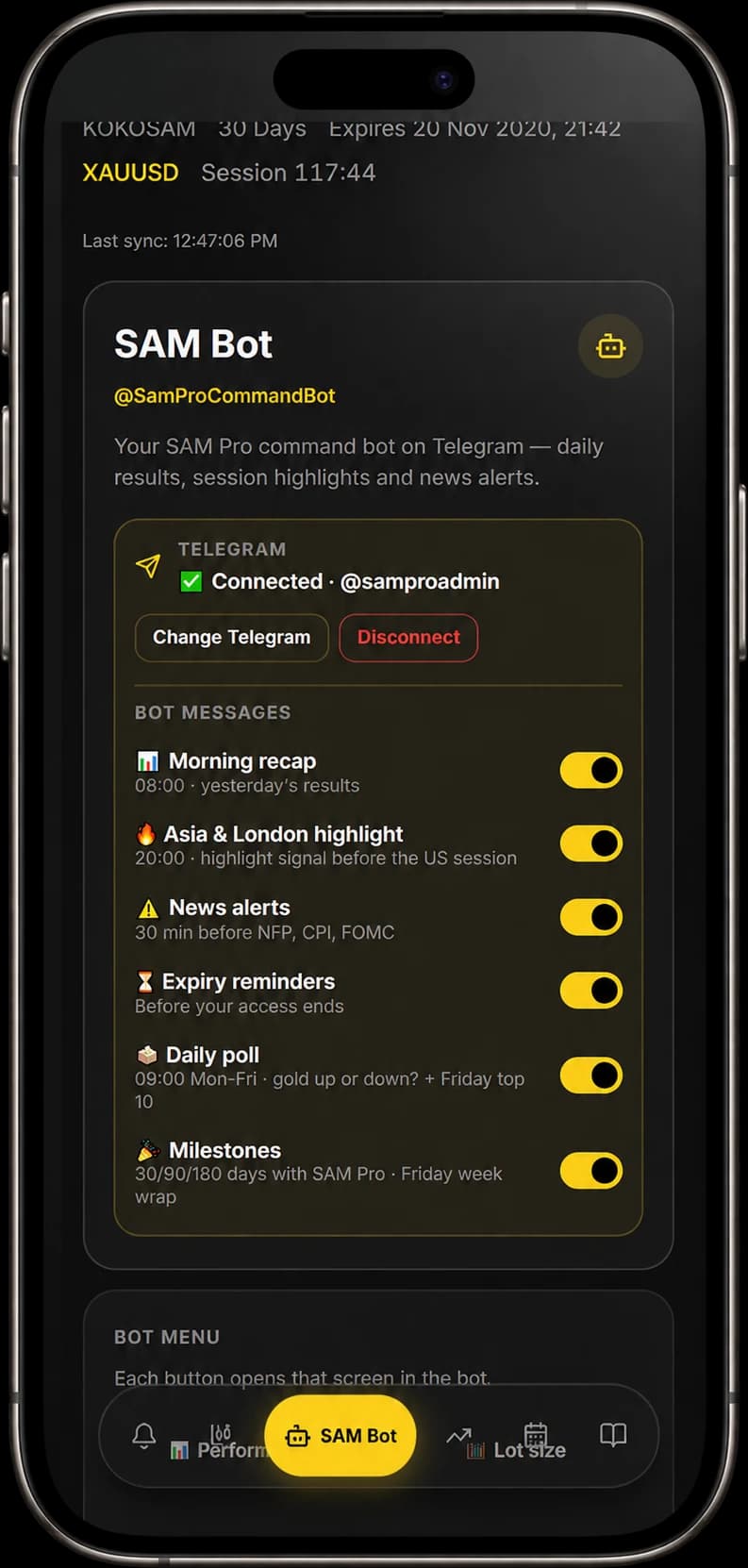
SAM Bot is the SAM Pro command bot on Telegram. Link your Telegram once and choose which messages you want.
- Morning recap at 08:00 (Malaysia time) with yesterday's results.
- The Asia and London highlight at 20:00.
- A news alert about 30 minutes before the big USD events (NFP, CPI, FOMC).
- A daily poll at 09:00 on trading days, and the Friday top 10.
- Reminders before your access ends. Each message type has its own switch, in English, Bahasa Melayu or Bahasa Indonesia.
Buttons in the bot menu
Ready to try it?
Join free with a deposit with our partner broker.
⚠️ Examples are illustrations, not real signals. Signals are guidance, not a profit guarantee. Trading carries risk and you can lose money. Use your own risk management. Terms · Privacy · Support